























































































































































































































































































































































































































































































































































































































































































































































































































































































































































































































































































































































































































































































































































































































































































































































































































































































































































































































































































































Best Free 3D Modeling Software in 2026: Top Digital Modeling Tools for Designers, Students, and Creators


The demand for 3D modeling software continues to grow as industries such as architecture, gaming, product design, engineering, animation, fashion, and manufacturing increasingly rely on digital workflows. Creating realistic 3D assets was once limited to expensive professional software, but today’s market offers a wide range of powerful free design tools that make digital creation accessible to everyone. Whether you are a student learning the basics, a designer building prototypes, or a creator developing visual content, there are excellent solutions available without significant financial investment.
Modern digital modeling software allows users to design objects, create visualizations, develop prototypes, and prepare assets for production. Many free platforms now include advanced features that were previously only available in premium software packages. As a result, beginners and professionals alike can access powerful tools that support creativity, learning, and innovation.
This guide explores the best free 3D modeling software available today, highlighting their features, strengths, ideal use cases, and how to choose the right solution for your specific needs.
What Is 3D Modeling Software?
3D modeling software refers to digital applications used to create three-dimensional representations of objects, environments, products, and characters. These programs allow users to build virtual models that can be visualized, modified, rendered, animated, or manufactured.
Depending on the software, users can create everything from simple geometric shapes to highly detailed product designs and realistic virtual environments. Modern modeling tools support industries such as engineering, architecture, gaming, film production, industrial design, and education.
As technology advances, 3D modeling has become a critical skill for many creative and technical professions. Access to free software has made learning and practicing these skills more accessible than ever before.
Why Free Design Tools Are Becoming More Popular
The popularity of free design tools has increased significantly over the past decade. One major reason is the growing demand for digital skills across multiple industries. Students, hobbyists, startups, and independent creators often need affordable solutions that allow them to learn and create without purchasing expensive licenses.
Many free platforms are also supported by active communities that provide tutorials, forums, templates, and educational resources. These communities help users overcome learning challenges and develop their skills more efficiently.
In addition, advancements in open-source development have led to software that rivals commercial alternatives in terms of functionality and performance.
Key Benefits of Free 3D Modeling Software
Before exploring specific tools, it is important to understand why free solutions have become so valuable for creators and professionals.
Free modeling software eliminates financial barriers that often prevent individuals from learning digital design skills. Users can experiment with different workflows, develop portfolios, and gain practical experience without investing significant resources.
Many free platforms also support professional-quality output, making them suitable for real-world projects. This allows users to transition smoothly from learning environments to commercial applications as their skills advance.
Furthermore, free software encourages innovation by providing access to powerful technology regardless of budget constraints.
Best Free 3D Modeling Software Available Today
Blender
When discussing 3D modeling software, Blender is often considered the most powerful free solution available. Blender is an open-source platform that supports modeling, sculpting, animation, rendering, visual effects, and even video editing.
Its extensive feature set makes it suitable for artists, game developers, architects, and product designers. Blender’s active community continuously contributes plugins, tutorials, and improvements that enhance its capabilities.
Although the learning curve can be challenging for beginners, the software offers exceptional long-term value. Many professionals use Blender for commercial projects despite having access to premium alternatives.
Why Blender Stands Out
Blender provides advanced rendering engines, realistic material creation, animation tools, and comprehensive modeling features. Its flexibility makes it one of the most complete free design tools available today.
The software is particularly popular among digital artists and game developers because of its ability to handle complex creative projects efficiently.
FreeCAD
FreeCAD is a parametric modeling application designed primarily for engineering, manufacturing, and product development. Unlike artistic modeling software, FreeCAD focuses on precision and technical accuracy.
Users can create detailed mechanical parts, prototypes, and engineering models while maintaining complete control over dimensions and specifications. This makes it particularly useful for industrial designers, engineers, and students studying technical disciplines.
Because of its parametric approach, modifications can be made efficiently without rebuilding entire models from scratch.
Ideal Use Cases for FreeCAD
FreeCAD is an excellent choice for product design, mechanical engineering, architectural planning, and manufacturing workflows. It supports professional-quality technical modeling while remaining completely free.
Its focus on precision distinguishes it from more artist-oriented digital modeling platforms.
SketchUp Free
SketchUp Free is a web-based modeling platform known for its simplicity and accessibility. It is widely used in architecture, interior design, and conceptual product development.
The software features an intuitive interface that allows beginners to start creating models quickly. While its free version includes fewer advanced features than commercial editions, it remains a powerful tool for learning and basic project development.
Because it operates within a web browser, users can access their projects from multiple devices without installing software.
Strengths of SketchUp Free
SketchUp Free excels at rapid conceptual design and visualization. Its user-friendly interface makes it one of the most approachable 3D modeling software options available for beginners.
Architects, students, and hobbyists often choose SketchUp because it enables fast project creation without extensive technical training.
Tinkercad
Tinkercad is an online modeling platform specifically designed for beginners and educational environments. Developed with simplicity in mind, it allows users to create 3D models using basic geometric shapes and intuitive drag-and-drop controls.
The platform is especially popular among students, educators, and individuals interested in 3D printing. Its straightforward workflow helps users understand fundamental modeling concepts before transitioning to more advanced software.
Because Tinkercad operates entirely online, it requires no installation and is accessible from virtually any computer.
Why Beginners Love Tinkercad
Tinkercad removes much of the complexity associated with traditional digital modeling software. Its visual approach makes learning enjoyable and accessible for users of all ages.
For anyone taking their first steps into 3D design, Tinkercad provides an excellent starting point.
Wings 3D
Wings 3D is a lightweight modeling application focused specifically on polygon modeling. Unlike larger software packages, it concentrates on delivering a streamlined modeling experience without unnecessary complexity.
The software is suitable for creating objects, assets, and conceptual designs. Its clean interface allows users to focus on modeling techniques rather than navigating extensive menus and features.
Although it lacks advanced rendering and animation capabilities, Wings 3D remains a valuable option for users seeking simplicity.
Best Applications for Wings 3D
Wings 3D is particularly effective for learning polygon modeling fundamentals. Artists who prioritize object creation over animation or rendering may find it especially useful.
Its lightweight design also makes it suitable for computers with limited hardware resources.
Choosing the Right Digital Modeling Tool
Selecting the best digital modeling platform depends largely on your goals, skill level, and project requirements. Beginners often benefit from software with intuitive interfaces and strong educational resources.
Students exploring design concepts may prefer SketchUp Free or Tinkercad due to their accessibility. Those interested in professional artistic workflows may find Blender more suitable because of its extensive capabilities.
Engineering and manufacturing professionals typically require precision-focused solutions such as FreeCAD. Understanding your intended applications will help narrow your options and improve long-term learning outcomes.
How Free 3D Modeling Software Supports Learning
One of the greatest advantages of free software is its ability to support education and skill development. Aspiring designers can build portfolios, complete personal projects, and gain practical experience without financial limitations.
Many educational institutions now incorporate free tools into their curricula because they provide students with access to industry-relevant technologies. This helps learners develop technical competencies that are valuable in today’s job market.
The availability of online tutorials, courses, and community support further enhances the learning experience.
The Future of Digital Modeling
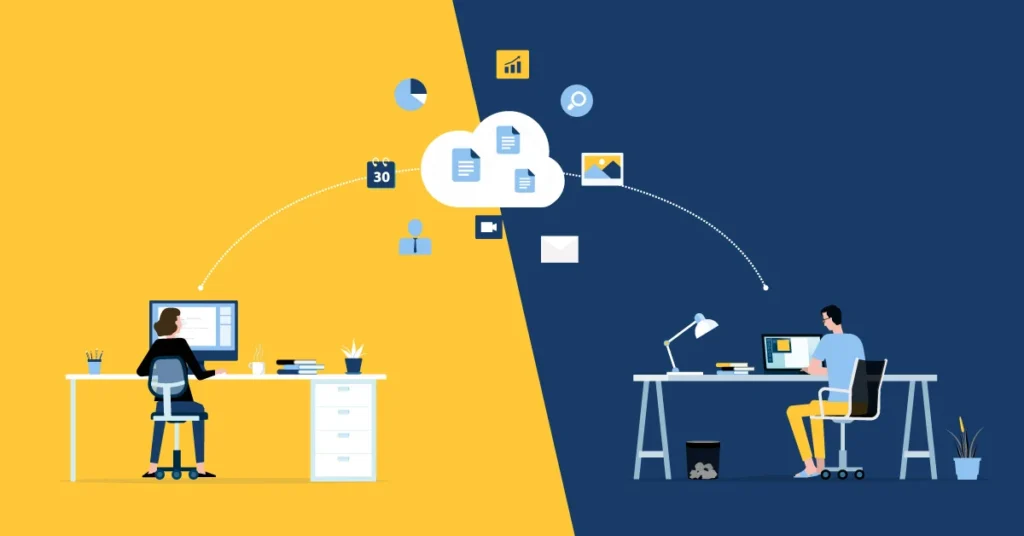
The future of 3D modeling software is being shaped by advancements in artificial intelligence, cloud computing, virtual reality, and real-time collaboration technologies. These innovations are making modeling workflows more efficient, accessible, and powerful.
AI-powered design assistance is expected to simplify complex tasks, while cloud-based platforms will improve collaboration among distributed teams. Virtual and augmented reality technologies may also transform how users interact with digital models.
As these developments continue, free software solutions are likely to become even more capable and widely adopted across industries.
Conclusion
The availability of high-quality 3D modeling software has transformed how designers, students, engineers, and creators approach digital design. Powerful free design tools such as Blender, FreeCAD, SketchUp Free, Tinkercad, and Wings 3D provide exceptional opportunities to learn, create, and innovate without significant financial investment.
Choosing the right digital modeling platform depends on your goals, experience level, and project requirements. Whether you are building engineering prototypes, creating game assets, designing products, or learning foundational skills, there is a free solution that can meet your needs. By exploring these tools and developing your expertise, you can unlock new creative possibilities while preparing for future opportunities in an increasingly digital world.